Shopify knows what you have left. We tell you what to order, and for which location.
For Shopify stores with their own warehouse, several locations or several sales channels. We connect to your store with a custom app, learn your campaign calendar from last year and from what is selling this week, and propose how much to buy of each variant and where to send it. It is not an app from the App Store: it is software connected to your store, with the code in your name.
Book a 30-minute demoHow it works
Read-only connection · Tested on your own data first · Data hosted in the EU · Demos in English or Spanish
The short answer
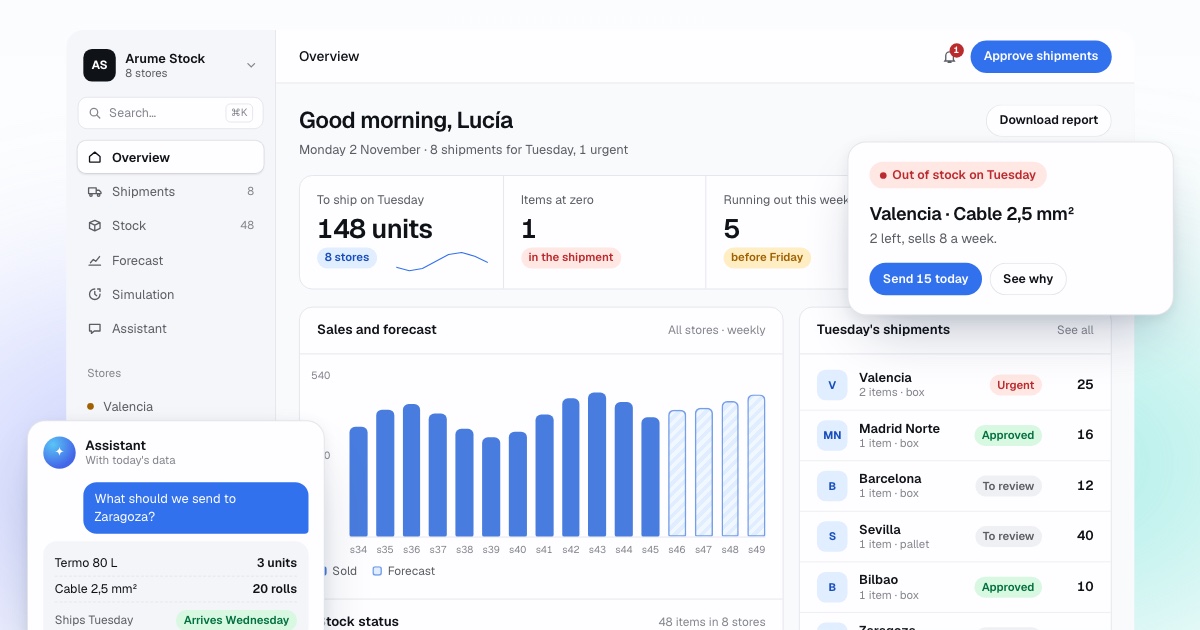
Shopify inventory forecasting works by reading every order and the stock of each variant and location through the Shopify Admin API, learning the seasonal pattern from past campaigns, and proposing each week how much to buy of each variant and which location it should go to. It is built for stores with a warehouse, several locations or several channels. Shopify keeps counting stock as it does today; the forecast and the purchase proposal live outside the store, and a person approves them.
By Manuel Gómez González, founder of Arume · Reviewed on
What it does
What Shopify already does well
It tracks stock per variant and per location, deducts it on every sale in any channel, and lets you run transfers and purchase orders. Its reports show sales by product. None of that is replaced: we read it.
What it does not do
Shopify counts what you have, not what you will sell. There is no demand forecast, no supplier lead time and no suggested order quantity. Its "days of inventory remaining" figure is a recent average, so it says the same thing the week before Black Friday as in January.
Read-only connection through a custom app
We create a custom app in your store with read access to orders, products and inventory. New orders reach us through Shopify notifications, so the data is current without loading your store. Write access is granted only where you decide, and only after the shadow period.
A forecast per variant and location
Size M in black sells differently from size L in blue, and your Madrid location differently from Barcelona. We calculate demand and the risk of reaching zero for each variant at each location, and suggest moving stock between locations before buying more.
Campaigns learned, not guessed
Black Friday, Christmas, sales, back to school. Orders that used a discount code are flagged, so a weekend promotion does not teach the model that a product always sells double.
Continue selling at zero stock, with numbers
Shopify lets you keep selling a variant when stock reaches zero. We show for which variants that makes sense (short lead time, reliable demand) and how many orders you would ship late if you allow it.
What does Shopify do with inventory today?
Shopify tracks inventory per variant and per location. Every size and colour of every product has a quantity at each warehouse, shop or point of sale you have set up, and the count goes down when something sells in any connected channel. You can run transfers between locations and purchase orders to suppliers, and decide per variant whether to keep selling when stock hits zero.
The inventory reports include month-end snapshots, inventory sold daily by product, ABC product analysis, sell-through rate and inventory remaining per product. That is a solid record of what happened. For a store with dropshipping or very few products, it is often enough.
Where does it fall short for replenishment?
Shopify documents "days of inventory remaining" as ending quantity divided by the average quantity sold per day, based on the last 28 days. That is useful as an alarm, but it assumes the next weeks look like the last four. It cannot see a campaign that starts on the 20th, a supplier that now takes 60 days, or a product that has just gone viral.
App Store inventory apps add alerts and a sales average, usually for a monthly fee per store or per product. The rule is the same for every shop, so the result is familiar: the three best sellers run out on the second day of Black Friday, and in January you are holding boxes of what did not move.
With several locations there is another gap. The same product is surplus in one place and missing in another, and nobody notices until a customer orders something sitting in the wrong warehouse.
How do we connect to Shopify?
In your store admin we create a custom app, which Shopify describes as an app built for one store that can access that store's data through its APIs. Custom apps are created in the Dev Dashboard, and those created before 1 January 2026 are managed as legacy apps from the admin. We ask for read access to orders, products and inventory, and for write access only where you choose: transfers, purchase orders or quantities.
Shopify publishes a new API version every three months and supports each stable version for at least 12 months, with consecutive versions overlapping by at least nine months. That means changes to the connection can be planned rather than discovered, and we review it as part of maintenance.
If a logistics partner runs your warehouse and syncs stock to a Shopify location, we read it from there. If part of the catalogue sits in a spreadsheet or another system, we bring it together during the data review.
How is the order quantity decided per variant and location?
For each variant at each location we estimate demand until the next order could arrive, as a range rather than a single number, using the real lead time of that supplier. From that comes the probability of reaching zero before delivery and the quantity that makes sense once you count the cost of the order and the cash tied up in stock.
Before proposing a purchase we look at your other locations. If your physical shop holds what the online warehouse is missing, the first suggestion is a transfer. What is missing everywhere is bought, grouped by supplier, with one sentence of reasoning per line.
New variants with no history borrow the size and colour split of similar products, with low confidence shown on the line. Shopify does not keep daily stock history, so we rebuild it backwards from today's inventory and the orders. That tells us which days you did not sell a size because you did not have it.
What does it look like with real numbers?
Take a black T-shirt in size M. You hold 180 units and sold 252 in the last 28 days, which is 9 a day. Shopify's report says you have 20 days of inventory. Your supplier takes 21 days, so even the plain report is already one day short.
Now add the calendar. Black Friday starts in 10 days and last year this variant sold about 24 a day during the sale week. The next 10 days use 90 units at 9 a day, leaving 90. At 24 a day those last about four days, so you run out around day 14, a full week before the order could arrive. The average said 20 days. The forecast says 14, and the proposal is to order now, with the figures behind it.
Which parts of Shopify stay untouched, and what do we not do?
Shopify remains your store. We do not replace inventory tracking, do not change prices or products, and do not buy by ourselves: you receive the list and decide. By default the app is read-only. If you want transfers created or quantities updated, we grant that specific permission after the shadow period.
If you sell without a warehouse, have a handful of products and a supplier that ships in two days, Shopify's own inventory and a low-stock alert are enough, and we will say so in the first conversation.
How do we check it and how do we start?
Before anything goes live, we replay last year's campaign week by week, using only what was known each week and starting from the stock you really had. We compare it with what you sold and what you missed: demand served, lost sales, orders placed and cash tied up. The measures are fixed before we see the result. If it does not beat what you did, we say so.
Then one or two months in shadow mode: we propose every week, you order as usual, and at the end we measure. If you want a first answer sooner, send an export of orders and inventory and we return a short free analysis.
Frequently asked questions
Is it an app from the Shopify App Store?
No. It is software of your own that connects to the store through a custom app, the route Shopify provides for a program built for a single store. There is no listing, no fee per product and the code is in your name.
Which Shopify plan do I need?
We connect through a custom app with read access to orders and inventory. We confirm what your plan allows during the demo, because plan details change. You do not need advanced reports or automation features for this: we read orders and stock directly.
What if I have several locations?
It works better with them. Shopify tracks inventory per location, and we decide per location: what each one sells, what it holds and what it lacks. Before buying, we propose moving stock from where it is surplus to where it is missing.
Does it work with sizes and colours?
Yes. Each variant is calculated separately because each sells separately. For new products we use the size split of similar products until the new one has its own data, and the line is marked as low confidence.
Can it change my inventory?
Only if you ask. By default the connection is read-only and the proposal appears in a dashboard and a supplier sheet. Write access to transfers or quantities is a separate permission, granted after the shadow period.
How do you handle Shopify API changes?
Shopify releases a new API version every three months and supports each for at least 12 months, so changes are visible well ahead. We review the connection as part of maintenance, or your team can, since the code is yours.