Odoo demand forecasting: reordering rules that follow your sales, not last year’s guess
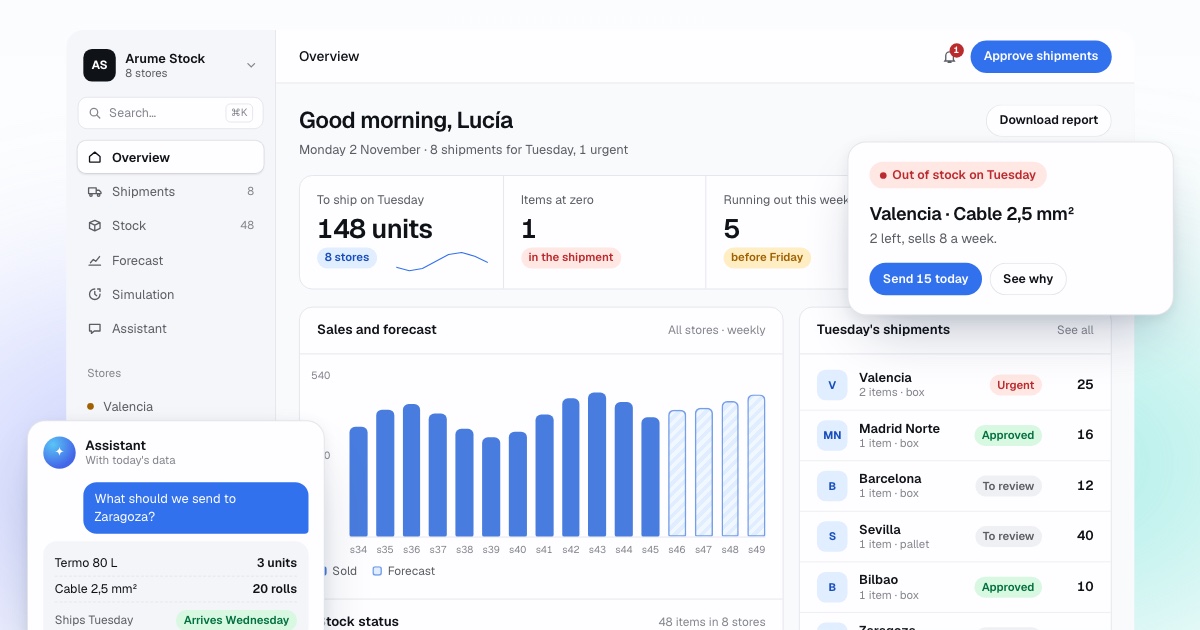
Odoo records stock well and its reordering rules are easy to understand. What they cannot do is look at next week’s sales. We connect to your Odoo, forecast each product in each warehouse, and propose what to order or transfer, with the reason. Your buyer approves.
Book a 30-minute demoHow it works
Read-only connection · Tested on your own data first · Data hosted in the EU · Demos in English or Spanish
The short answer
Odoo demand forecasting means estimating what each product will sell in each warehouse before the next supplier delivery, then setting min/max values or draft purchase orders from that estimate. Odoo’s own forecasted quantity only counts confirmed orders, not expected sales. Arume reads sales, stock and lead times through Odoo’s external API, calculates the risk of a stock-out per product and warehouse, and writes back reordering rules or draft purchase orders that a person approves.
By Manuel Gómez González, founder of Arume · Reviewed on
What it does
Forecast per product and warehouse
A range of likely demand until the next delivery can arrive, built from your Odoo sales lines, with promotions flagged so they do not inflate the baseline.
Stock-out risk with the real lead time
Lead times come from the vendor pricelist on each product and, where they are empty or old, from your actual order and receipt dates.
Reordering rules that stay current
Min and max values on each rule are recalculated every week, so Odoo keeps generating orders the way your team already knows.
Draft purchase orders with a reason per line
Grouped by vendor, with sales pace, stock on hand and in transit, and risk noted on each line. Buyers confirm in Odoo as usual.
Transfers before purchases
If a product is overstocked in one warehouse and short in another, the transfer is proposed first, with its cost compared to buying.
Replay on your history
Past weeks are decided again using only what was known then, and compared with what your rules did.
What does Odoo Inventory forecast out of the box?
Odoo Inventory keeps on-hand quantities per warehouse and location, records every move with a date, and lets purchase and delivery orders update stock automatically. On top of that sit reordering rules. According to the Odoo documentation, the rules live under Inventory > Operations > Replenishment, and each one has a Min and a Max. Min is defined as the minimum quantity that can be forecasted without the rule being triggered; when the forecast falls below it, Odoo orders up to Max.
The word forecasted is where people get caught. In Odoo it means stock on hand, plus what is due to arrive, minus what is already committed to customers. It is arithmetic on confirmed documents. If you hold 40 units, 20 are on a purchase order and 15 are sold but not delivered, the forecast is 45. The sales you expect next week are not in that number. The documentation gives the same picture: confirming a sales order can push the forecast below zero.
Each rule is set to Auto or Manual. Auto rules create a request for quotation or a manufacturing order when the scheduler runs or when a sales order pushes the forecast under Min. Manual rules appear on the replenishment dashboard, where a buyer clicks Order. Odoo also has visibility days, a field that looks ahead a set number of days when a rule fires so that later demand is grouped into the same order. It is a useful touch for saving on transport, though it still looks at confirmed demand rather than predicted sales.
Why do fixed min/max rules fall behind?
A reordering rule is a good idea with one weakness: two numbers typed by a person at a point in time. A distributor with 800 products and three warehouses has 2,400 rules. Many were copied from the previous system during migration. Since then suppliers have changed, lead times have moved and sales have shifted, and nobody has the hours to review them. The buyer fixes the ones they know by heart and the rest stay as they were.
Seasonality makes it worse. A minimum of 30 for a garden product is right in April and far too high in November. Teams usually pick the peak value and carry excess all year, or pick the low value and run dry in the season. The third problem is lead time: Odoo stores it on the vendor line of each product, but nothing recalculates the minimum when that lead time goes from 7 days to 20 because the supplier moved to a slower warehouse.
None of this is a fault in Odoo. A fixed rule cannot look at how fast this product is selling in this warehouse this week, and that is exactly what you need in order to decide how much to buy.
How do we add forecasting on top of Odoo?
We read from Odoo, calculate outside it, and write the decision back. The connection uses Odoo’s external API, which according to its documentation is reached over XML-RPC and authenticated with a login and an API key created in the user’s account security settings. We ask for a dedicated user with read access to sales, inventory and purchasing. Nothing is installed in your Odoo and we never touch its database directly.
One practical check before anything else: the Odoo documentation notes that external API access requires the Custom pricing plan on Odoo Online. If you are on One App Free or Standard, we start from scheduled exports instead and switch to the API when you upgrade. If you run Odoo.sh or your own server, your Odoo partner can confirm in a short call how access is set up.
What we read: sale order lines with date, product and warehouse; stock moves; quantities by location; open purchase orders; and vendor lead times. What we calculate: for every product in every warehouse, a range of demand until the next delivery, the probability of reaching zero before it arrives, and the quantity that is worth ordering once shipping cost and cash tied up on the shelf are counted. Seasonality is learned across all your warehouses at once, so a new branch benefits from the pattern of older ones.
- Reads: sales lines, stock moves, quantities by location, open purchase orders, vendor lead times.
- Writes (only if you allow it): Min and Max on reordering rules, or draft purchase orders.
- Never touches: invoices, accounting, prices, customers or confirmed orders.
How does the decision go back into Odoo?
There are two routes and you can use both. The first writes Min and Max on each reordering rule every Monday, or every two days in a peak season. Odoo carries on exactly as before: when the forecast drops below Min it creates the order. Buyers see the same screens and the same Replenishment dashboard. Only the numbers have changed, and they are no longer the ones from two years ago.
The second creates draft purchase orders grouped by vendor, with a note on every line explaining why: sales pace, lead time, stock on hand and on order, and risk. The buyer opens the draft in Odoo, edits what they disagree with and confirms it like any other order. This route suits teams who want to see the whole list before Odoo moves anything, and it is the one we use during shadow mode.
A mixed set-up works well: rules for steady products, drafts for seasonal or new ones. If you use the master production schedule in Odoo Enterprise, the forecast we calculate can be loaded there so that planning uses it.
What about several warehouses and transfers?
Many Odoo users run a central warehouse and two or three branches, or one warehouse per country. We forecast each warehouse with its own sales and its own lead time, then look at the group. Before proposing a purchase for the Madrid branch, we check whether the product is sitting idle in Rotterdam and, if so, propose an internal transfer, with the cost of moving it set against the cost of ordering. Transfers are shown as a separate proposal so you decide.
Vendor lead times are read from the vendor line of each product, which is where your buyers already keep them. When one is blank or stale, we estimate it from the real gap between order date and receipt date over recent months, and flag the ones that do not add up. That flag alone usually uncovers a handful of product records to fix.
How is it tested before it writes anything?
First on your own history. We decide again each past week using only what was known that week, starting from the stock that really existed in each warehouse, and compare the result with what your reordering rules did: demand served, sales lost in currency, orders placed, units and money tied up. The measures are fixed before anyone looks at the result. If it does not beat what you do now, we say so and stop. You can read more on the simulation page.
Then one or two months in shadow mode: every week the system proposes draft purchase orders that are not confirmed, while your team keeps deciding as usual. At the end we measure what would have happened. Only then is write permission granted, and every change is logged with its reason.
When are Odoo’s own rules enough?
If you have one warehouse, a few dozen products, a supplier who delivers in two days and sales that look the same all year, well-set reordering rules are enough. Reviewing them once a quarter costs less than any software, and we will tell you so in the free analysis.
It starts to pay off when several of these combine: hundreds or thousands of products with rules nobody reviews, several warehouses, clear seasonality, suppliers with long or very different lead times, and a buyer who corrects Odoo’s suggestions from memory every week. If that sounds familiar, the quickest way to know is to run your own numbers through the simulation. Set-up takes three to six weeks, and your data stays in the EU.
Frequently asked questions
Do I need to change Odoo or install a module?
No. We connect through the external API with a dedicated user and install nothing inside Odoo. Because there is no code of ours in your database, upgrading Odoo does not break anything on our side. What can change between versions is the name of a field, and we check that against a test database before touching production.
Does it work with Odoo Online, Odoo.sh and self-hosted Odoo?
Yes, with one condition. Odoo’s documentation says external API access on Odoo Online needs the Custom pricing plan. If your plan does not include it, we start from scheduled exports and move to the API later. For Odoo.sh and your own server, your partner confirms how access is set up.
Does it replace the Replenishment dashboard?
No. Your team keeps using Inventory > Operations > Replenishment. We either update the Min and Max values on the rules, or create draft purchase orders there. Orders are still confirmed by a person in Odoo.
What happens to the forecast in the Enterprise master production schedule?
If you use it, we can load our calculated demand into it so Odoo plans with that figure instead of numbers typed by hand.
Who looks after the connection when Odoo is updated?
We do. The connection is read-only apart from the fields you agree to, and any change in a field name is handled on a test database first. If your Odoo partner manages the system, we give them the exact list of permissions the user needs.
Can it get the quantity wrong and over-order?
Yes, any forecast can. That is why it starts as drafts, why every line shows its reason, and why a person approves. The replay on your history shows the typical error before you rely on it.