Sage 200 and Sage 50 stock control: minimum levels that follow your sales
This page is about the Spanish editions, Sage 50 and Sage 200 as sold by Sage Spain. Sage has other products in other countries with the same names; they are not what we describe here. We read your stock and sales, work out what to order, and send it back as new minimum and maximum levels or a ready purchase proposal.
Book a 30-minute demoHow it works
Read-only connection · Tested on your own data first · Data hosted in the EU · Demos in English or Spanish
The short answer
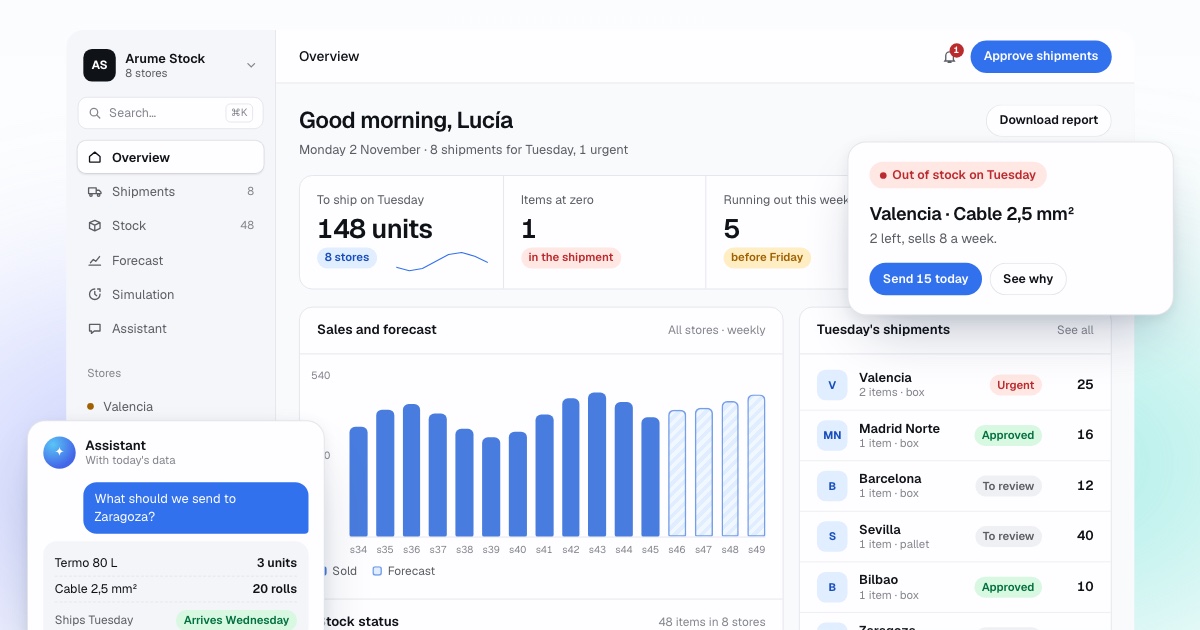
Sage stock control here means Sage 50 and Sage 200 as sold in Spain, not the similarly named Sage editions in the UK or US. Both hold stock by item and warehouse and support minimum and maximum levels per warehouse. Arume reads stock movements and sales lines from Sage exports, or from the SQL Server database in Sage 200 with a read-only user, forecasts each item per warehouse, and returns recalculated minimums or a purchase proposal that a buyer approves.
By Manuel Gómez González, founder of Arume · Reviewed on
What it does
Minimums per item and warehouse
Minimum and maximum levels are recalculated every week from sales and supplier lead time, and loaded with Sage’s own import tools or by your partner.
Purchase proposal by supplier
A ready list grouped by supplier, with item, quantity and a one-line reason, in a format Sage’s order import accepts or your buyer loads in minutes.
Stock rebuilt for every past day
Sage keeps movements, not a daily snapshot. We reconstruct each day backwards so a week at zero stock is not read as zero demand.
Automatic ABC split
Fast movers, slow movers worth keeping one of, and dead stock that should not be reordered, sorted from sales for the whole catalogue.
Transfers between warehouses
Proposed separately and before buying.
Replay on your history
Past weeks decided again with what was known then and compared with your own minimums.
Which Sage are we talking about?
Sage is a name shared by several unrelated product lines. In Spain, Sage 50 combines invoicing, purchasing, warehouse and accounting for small and medium companies, and Sage 200 is the ERP for those that need several warehouses, branches, manufacturing or more users. The Spanish customer base also includes people who came from FacturaPlus, ContaPlus and Murano. If you use Sage Business Cloud Accounting, Sage 50cloud in the UK or Sage Intacct, this page does not apply; talk to us and we will say honestly whether a connection makes sense.
In both Spanish editions each item has a record with stock per warehouse, every entry and exit is a dated movement, delivery notes and purchase notes update stock automatically, and physical counts can be adjusted. For replenishment there are minimum and maximum levels per item and reports of items below minimum, from which a supplier order can be generated for the difference.
Sage Spain’s own training syllabus for advanced Sage 50 includes managing minimums per item and warehouse, calculating minimums, warnings on minimum and maximum per warehouse, and a purchase proposal generator. So the tools exist. What is missing is a good way to choose the numbers.
Where do Sage’s minimum levels fall short?
The minimum and maximum are two numbers typed once, very often during a migration from the previous program. In a company with 3,000 items and three warehouses that is 9,000 numbers nobody reviews. They are the same in February as in peak season, and they do not change when a supplier goes from delivering in a week to taking four. The below-minimum report says what is under the line. It does not say how much to order to cover the time until the next order, or whether that order is worth placing.
In practice the report is looked at less than people admit, and the real decision happens in an Excel file exported from Sage on Monday morning: the stock listing crossed with the month’s sales, plus the experience of whoever buys. That works while the person is there and while the items they know by heart are the ones that matter. It breaks down with seasonality, with branches, and with slow items that tie up cash.
How do we get data out of Sage?
We do not claim a connection your version does not have. The route is decided in the diagnosis, with your Sage on screen and your Sage partner. The first route, valid in Sage 50 and Sage 200, is exported reports: items with stock per warehouse, warehouse movements for a period and sales lines with date. They can be scheduled to land in a folder every night, and we pick them up from there. Many Sage users already do this to feed other programs.
The second route, in Sage 200, is reading its database directly with a read-only user created by your partner. Sage Spain’s own SQL training for Sage 200 describes the data as living in a SQL Server database that can be queried, so this is a supported pattern. It is more convenient because there are no files in between, and safe because it only reads. We never write to the Sage database. What goes back to Sage goes through its importers or is loaded by your partner.
With either route Sage stays as it is. Nothing is installed inside it and no module is touched, so a Sage update has nothing of ours to break. At most the format of a report changes, and we adjust that in an afternoon.
How do we decide what to order from Sage data?
First we rebuild the stock of every day, because Sage stores movements but not a daily photograph. From today’s stock and the movements backwards, we know what was in each warehouse each day, and therefore which days an item did not sell because there was none. Without this the model would learn that the item does not sell, and would order less of exactly the product you run out of.
From the sales lines, for each item in each warehouse we estimate demand until the next order can arrive as a range, using the real supplier lead time taken from order dates and purchase delivery note dates. From that comes the risk of reaching zero and the quantity worth ordering, counting the cost of placing the order and the cash tied up. Seasonality is learned across all warehouses and corrected with what happened in the last two weeks.
For a company with thousands of items, much of the value is in separating them: those that move and must always be in stock, those that rotate slowly but deserve one on the shelf, and those that are dead and should not be reordered. That sorting is done automatically from sales, and the minimum is set to zero where it belongs. It is what an ABC analysis does by hand, done for the whole catalogue every week.
How does the decision go back to Sage?
In two ways, and both go through Sage’s own tools. The first is the minimum and maximum of each item, recalculated every week and loaded into the item records with Sage’s importer, or by your partner from a list we provide. The below-minimum report and the order-by-difference that Sage already does keep working, but with this week’s numbers instead of those from three years ago. For the people working in Sage, nothing changes.
The second is a ready purchase order proposal: the week’s list grouped by supplier, with item, quantity and the reason for each line in one sentence, in the format Sage’s order importer accepts or that your buyer can load in two minutes. We use this one during shadow mode because it shows the whole list before anything changes in Sage. With several warehouses, transfers between them come as a separate proposal, before buying.
How is it checked before changing a single minimum?
On your own past months. The program decides again each week using only what was known that week, from the rebuilt stock, and the result is compared with what you did with your minimums: demand served, sales lost in currency, orders, units and money tied up. The measures are set before seeing the result. If it does not improve on what you do, we say so there and stop.
Then one or two months in shadow mode: each week the proposal comes out and you order as you always do, noting what you accept and what you do not. At the end we measure what would have happened. Only then are new minimums loaded into Sage, and each change is logged with its reason so purchasing can argue with it.
When are Sage’s minimums enough?
If you have one warehouse, a few hundred items, suppliers who deliver within days and sales that look similar all year, well-set minimums and maximums in Sage are enough, and reviewing them once a quarter costs less than any program. We will tell you in the diagnosis.
It pays off when several of these combine: thousands of items with minimums nobody reviews, several warehouses or branches, marked seasonality, suppliers with long or very different lead times, many slow items, and one person who decides purchasing every Monday in an Excel file exported from Sage. If that is you, send us that export and we return a free analysis of your stock. Demos are available in English or Spanish.
Frequently asked questions
Does this work with Sage 50 and Sage 200?
Yes, the Spanish editions of both. The data route differs: exported reports for either, and direct read-only database access for Sage 200. We do not cover other Sage products with similar names in other countries without checking first.
Do we have to install anything in Sage?
No. Nothing is installed or modified. Exports or a read-only database user provide the data, and what comes back goes through Sage’s importers or your partner.
How does data leave Sage if our version has no direct connection?
Through scheduled report exports to a folder every night: items with stock per warehouse, movements and sales lines. That works in both editions.
Does our Sage partner need to agree?
For database access and for loading the results, yes, and we give them an exact list of what we read and write so the conversation is short.
Can the order be written directly into Sage?
We do not write into the Sage database. Orders come as a file in the format Sage’s order importer accepts, or your buyer loads them, and every one is approved by a person.
We manufacture with Sage 200. Does it cover raw materials?
We forecast the finished product that you sell and recalculate levels for items bought and sold. Raw materials are handled case by case in the diagnosis.