SAP Business One demand forecasting: give the MRP a demand worth planning on
The MRP in SAP Business One calculates well, but it calculates on the demand you give it. We read your deliveries, invoices and stock through the Service Layer, forecast every item per warehouse, and send back a forecast for the MRP, new stock levels or the week’s purchase proposal.
Book a 30-minute demoHow it works
Read-only connection · Tested on your own data first · Data hosted in the EU · Demos in English or Spanish
The short answer
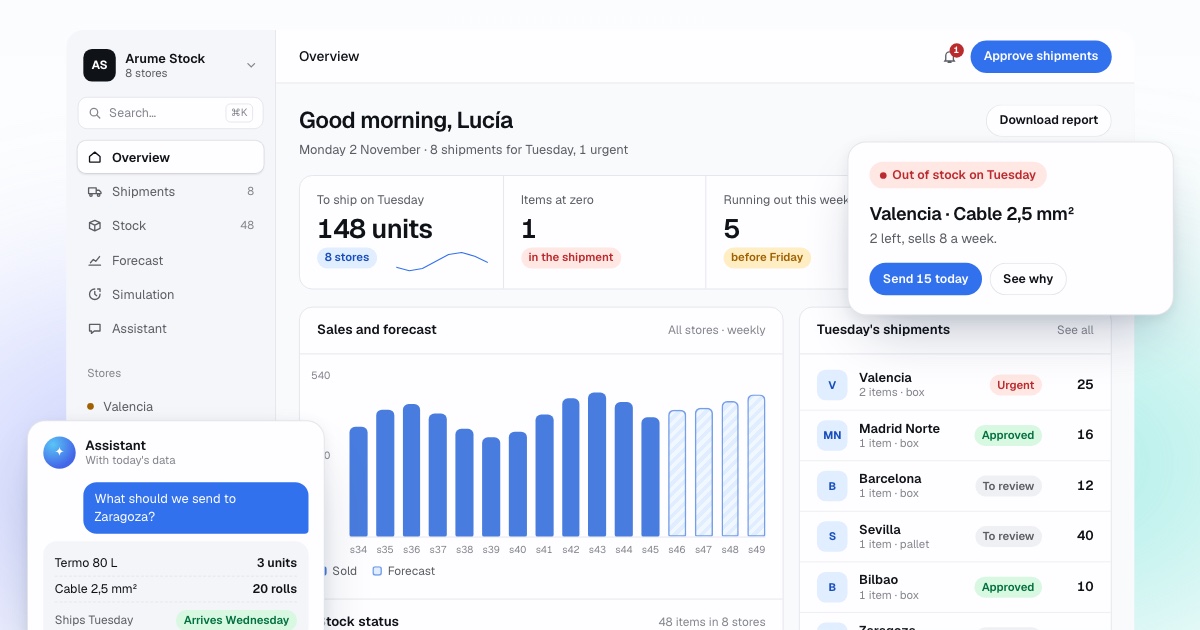
SAP Business One demand forecasting means giving its MRP a realistic demand per item and warehouse. The built-in forecast generator uses sales history but does not learn each item’s seasonality, and one percentage scales everything. Arume reads deliveries, invoices, stock and open orders through the Service Layer, forecasts each item per warehouse, and writes back a forecast for the MRP wizard, minimum and maximum stock levels, or a purchase proposal that a buyer approves.
By Manuel Gómez González, founder of Arume · Reviewed on
What it does
Forecast per item and warehouse
Built from your deliveries and A/R invoices, with the real supplier lead time taken from goods receipts.
A forecast the MRP can use
Loaded into the MRP module as the forecast for a scenario, so the wizard recommends on realistic demand.
Levels for companies that skip MRP
Minimum and maximum stock per item and warehouse, recalculated every week.
Purchase proposal with a reason
Grouped by vendor, with sales pace, lead time, stock and risk written on each line.
Warehouse by warehouse
Shows where surplus stock is hiding a shortage elsewhere, and proposes transfer requests from the central warehouse.
Replay on your history
Past weeks decided again with what was known then and compared with what your MRP or levels did.
What is the MRP in SAP Business One and how does it recommend?
MRP in SAP Business One is material requirements planning: a calculation that compares future demand with stock on hand and planned supply, and recommends what to buy, produce or transfer. According to SAP’s learning material, demand comes from sales documents, forecasts, production orders and defined inventory levels, and supply from purchase orders, production orders and inventory transfer requests. It runs through a six-step wizard, and each run uses a scenario, which SAP describes as a set of user-defined parameters that sets the scope of the run.
In the scenario you choose the planning horizon, the items, the sources of demand and whether planning is at company or warehouse level. At company level, SAP Business One consolidates inventory, demand and supply across all warehouses and recommends to the item’s default warehouse. At warehouse level it calculates each warehouse separately and can recommend inventory transfer requests.
The result reaches the Order Recommendations window, where you pick and create the documents: purchase orders, production orders or transfer requests. Before creating them you can change dates, quantities or vendors, and consolidate documents for the same vendor to issue fewer orders, and perhaps earn better discounts.
- Planning data on the item master: order multiple, minimum order quantity, lead time and tolerance days.
- Planning method and procurement method (buy or make) decide whether an item enters the run and what kind of recommendation it gets.
- The same planning data can be set at item group level.
What are forecasts in SAP Business One, and where do they stop?
A forecast in SAP Business One is a table of expected quantities per item and period that the MRP uses as an extra source of demand. It is created in the MRP module under Forecasts, with a daily, weekly or monthly view that cannot be changed after saving. SAP’s help says only one forecast can be chosen per MRP scenario, and a forecast that has been used in a run cannot be deleted. SAP also notes that forecasts can be maintained per warehouse and that the system can reduce forecast quantities by real orders to avoid double counting.
There are two ways to fill one: by hand, cell by cell, or with the generate forecast button, which calculates it from sales history. You choose which documents count (sales orders, deliveries and A/R invoices), a start date for the history and a calculation method that depends on the view. You can then scale the entire forecast by a percentage, for example doubling it for a campaign.
For a small stable catalogue that is fine. For a distributor with 3,000 items, five warehouses and a strong season it falls short for three reasons: the method does not learn each item’s seasonality, last year’s promotions enter as if they were normal sales, and the percentage applies equally to everything. The MRP calculates correctly, but on a demand that is not the real one.
How do companies replenish without the MRP?
Many SAP Business One users never run the MRP, especially in distribution. Each item has a minimum and maximum stock level per warehouse, and purchasing reviews the stock reports each week to see what is below, then raises purchase orders by hand. It works while the buyer knows the catalogue by heart.
The problem is the same as in any ERP: the levels are fixed and somebody set them years ago. They do not reflect the real lead time of the vendor, which for imports shifts from one season to the next, or the item’s season. And the stock report shows what is there, not what will sell. We recalculate those levels every week or, if you prefer, hand you the week’s purchase list with the reason for each line.
What do we read from SAP Business One and what do we write back?
We connect through the Service Layer, the web API of SAP Business One. SAP’s learning material describes it as a REST API built on the OData standard, supporting versions 3.0 and 4.0. A user is created for the program with read permission on items, warehouses, sales and purchasing documents, and write permission only on what we agree. If your installation does not have the Service Layer available, we begin with read-only queries or scheduled exports.
We read delivery and A/R invoice lines with date, item, warehouse and quantity; stock per warehouse; open purchase orders and inventory transfer requests; the planning data of each item; and goods receipts with their date, to measure each vendor’s real lead time. With movements and today’s stock we rebuild the stock of each past day, so the system knows which days there was no sale because there was no goods to sell.
What we write, in the form you choose: the forecast that the MRP wizard uses, the minimum and maximum stock levels per item and warehouse, or the week’s purchase proposal.
- Reads: deliveries and invoices, stock per warehouse, open orders, planning data, goods receipts.
- Writes: forecasts for the MRP, minimum and maximum stock per warehouse, or a purchase proposal.
- Never touches: accounting, prices, business partners or closed documents.
How do several warehouses and transfer requests work?
A typical importer on SAP Business One has a central warehouse where containers arrive and several branch warehouses. The MRP at company level combines everything and recommends to the default warehouse; at warehouse level it calculates each one, but with the same fixed levels and the same forecast spread evenly. We forecast each warehouse with its own sales and propose the transfer from the central warehouse using the lead time of the internal truck, not the vendor’s.
SAP’s training material warns about an effect of company-level calculation: if one warehouse has surplus stock, it can cover a shortage in another and no recommendation is generated. That is why we show each warehouse separately and tell you where the stock that is covering the gap is sitting.
What changes if you manufacture?
If you manufacture or assemble in SAP Business One, the MRP explodes the bill of materials: from the demand for the finished product it derives the demand for each component, with its lead time. An error in the forecast of the finished product multiplies through every component, and for long-lead components there is no time left to correct it.
We forecast the finished product, which is what you sell, and let the MRP do its work on the components. For components that are also sold on their own as spare parts, we forecast that sale separately and add it as another source of demand.
What does it not do, and how do we start?
It does not replace SAP Business One or its MRP. It does not create orders that nobody looks at: the recommendation still goes through the Order Recommendations window or through purchasing. It does not touch accounting, prices or closed documents. And it does not guarantee you will never run out; it lowers the risk and tells you what it is, item by item. If you have one warehouse, few items and vendors that deliver in two days, well-set stock levels are enough, and we will tell you so.
We start with your past months, decided again each week using only what was known then, from the stock in each warehouse, and compared with what your MRP or levels did. Then one or two months in shadow mode, and only then write access. The free analysis needs an export of deliveries, invoices and stock per warehouse, and returns a short report on what we would change first. Demos are in English or Spanish.
Frequently asked questions
Can SAP Business One forecast demand by itself?
It can generate a forecast from sales history in the MRP module, and you can scale it by a percentage. It does not learn the seasonality of each item or separate promotions. We calculate a forecast per item and warehouse and load it for the MRP to use.
Do we have to install an add-on?
No. We use the Service Layer with a dedicated user. If it is not available in your installation, we begin with read-only queries or scheduled exports.
What do you write back into SAP Business One?
Only what you allow: the forecast for the MRP, minimum and maximum levels, or a purchase proposal. Accounting, prices, partners and closed documents are never touched.
What about MRP recommendations that repeat every run?
A better forecast and recalculated levels usually reduce them. Where recommendations still repeat, we show the reason on the line and list the items whose planning data, such as lead time or tolerance days, needs fixing.
Our screens are in a language other than English. Does it matter?
No. We work with the data, not the interface. We give your administrator the exact list of what we read and write in the terms used in your version.
Can it over-order?
Any forecast can. That is why it starts in shadow mode, why every line has its reason, and why a person approves each purchase. The replay on your history shows the typical error first.